Make Purchasing Simple and Efficient.

Create purchase requests, compare quotations, manage suppliers, and track orders and invoices with ease.
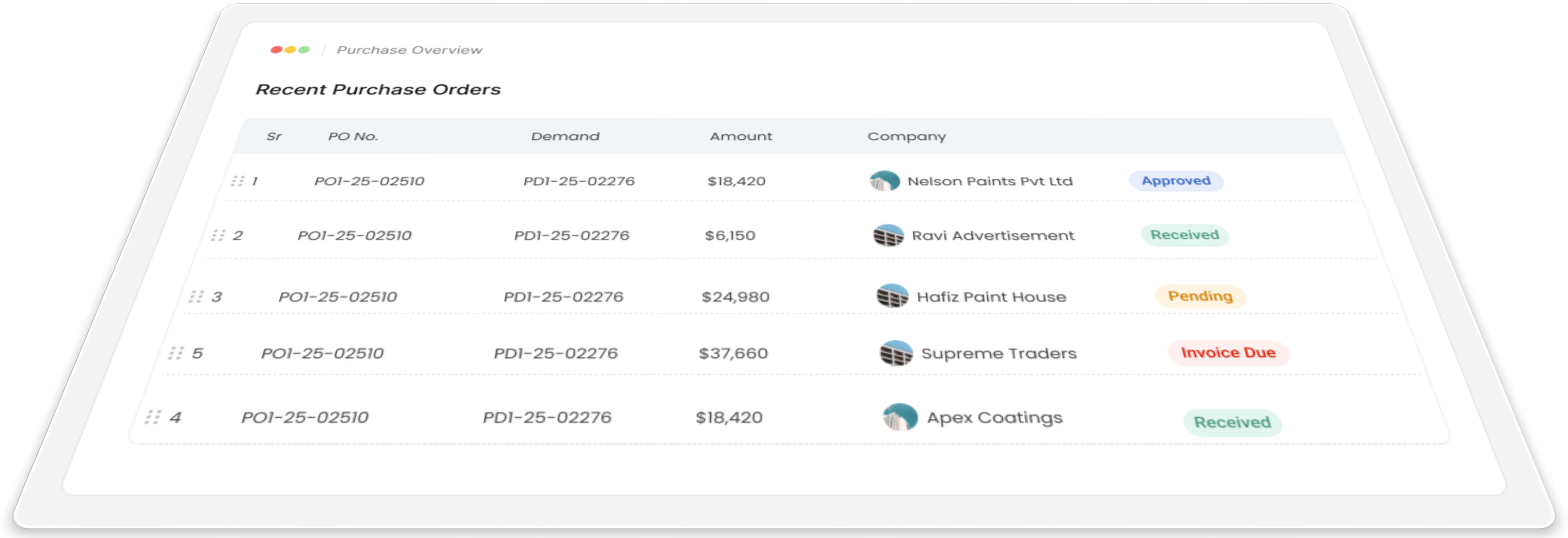

Gluon ERP purchase dashboard showing recent purchase order statuses and vendor transaction amounts.

Simplify Your Purchasing

Manage suppliers, purchase orders, requests, and procurement workflows efficiently.

Easy Your Purchase Mangement

Link your purchase orders to inventory and access exact stock levels,seasonal trends moment history and supplier lead time. Use Gluon ERP Purchase Mangement module to autoamte your procurement and vendor management and grow with the leading ERP Solutions provider .

Maximize unlimited benefits

Purchase Management has a vital role to play, in a manufacturing organization. It procures the items/material required by an organization and thus fulfills the necessary item requirements of various departments.

The basic purpose of this module

The basic purpose of GLUON ERP Purchase Management Module is to streamline the functioning of procurement or purchase of inventory (raw-material), assign orders to suppliers and bill.

Functions of purchase management module

All purchasing and subcontracting activities such as inviting quotations, supplier evaluation, placing purchase-order, order scheduling and billing are covered in this purchase management module. Import of goods is also handled by the system.

Measure the efficiency

Our Purchase Management Module integrated with related functional processes keeps a constant check on the stock levels and generates timely purchase orders for cost effective inventory replenishment.

From request to payment, all in one flow.

Manage every step of purchasing in one connected workflow.
icons
Purchase Draft
icons
Request for Quotation
White paper chart showing steady sales growth from 2016 to 2021, with revenue rising from $1.2M to $11M.
Vendor Quotation
icons
Comparison
icons
Purchase Order
icons
Goods Receiving
icon
Purchase Invoice
icon
Payment

Make every purchase request count.

Create purchase demands, check stock and prices, compare vendors, and send requests for approval before ordering.
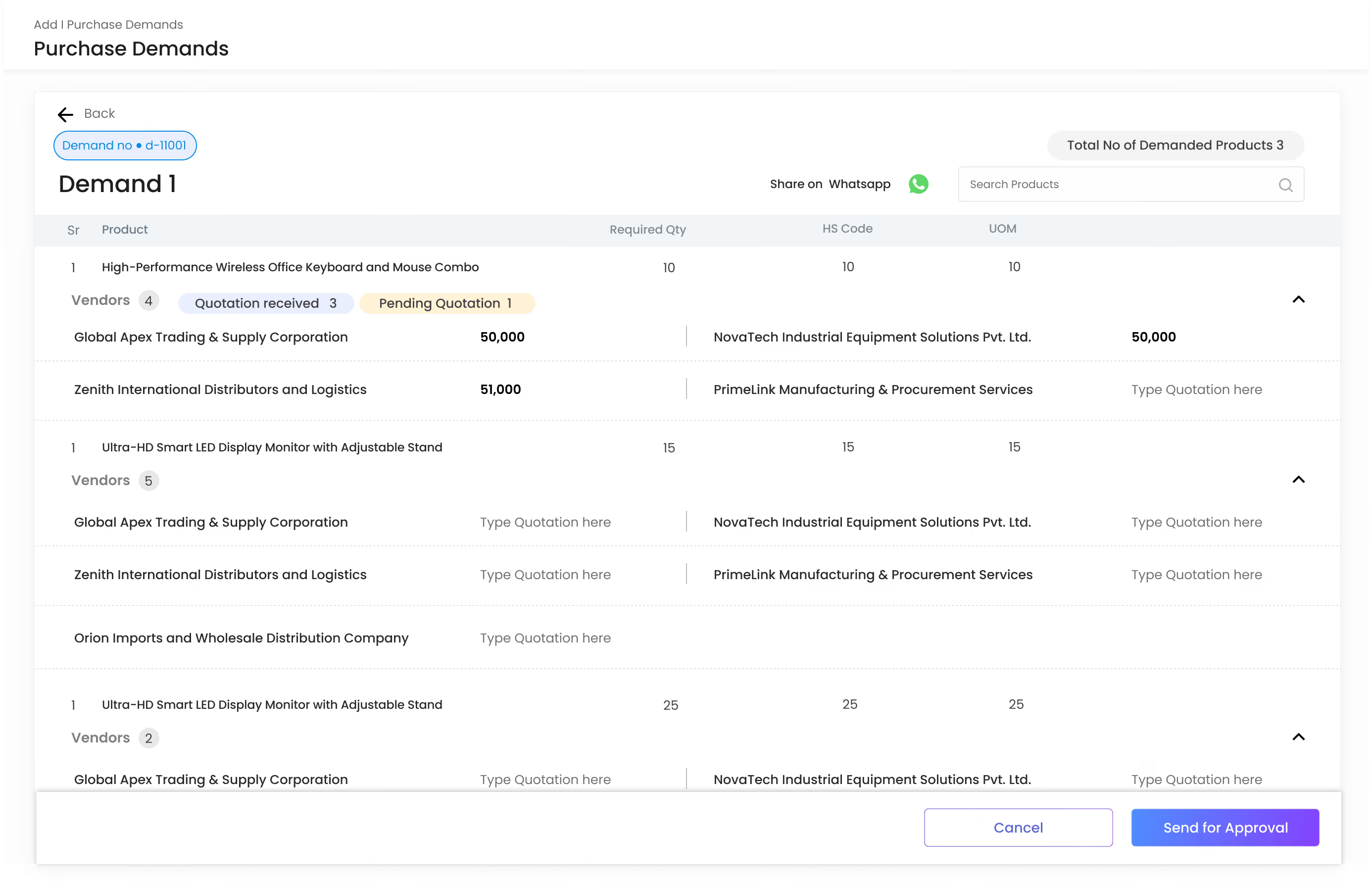
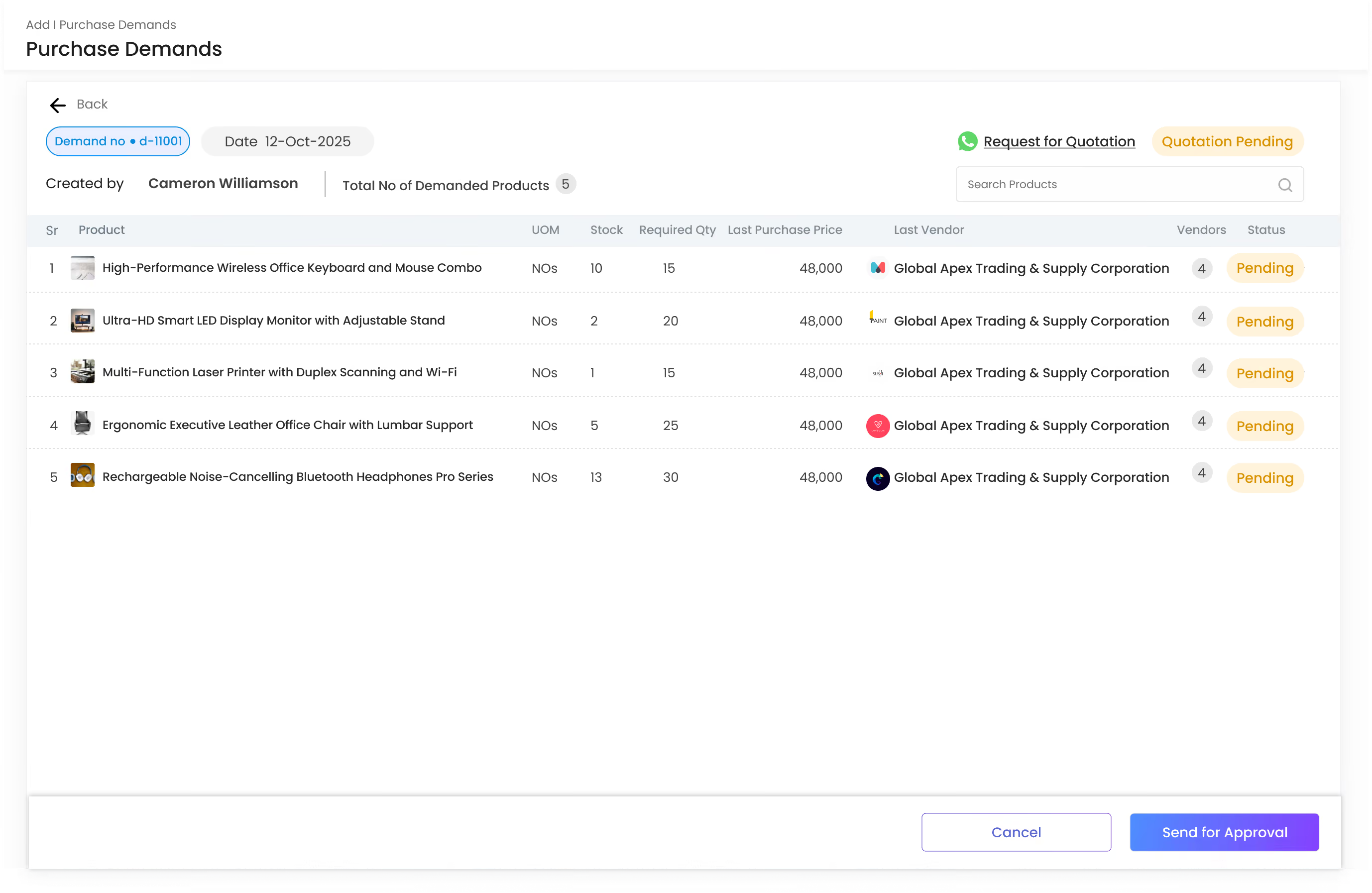
Gluon ERP purchase demand interface displaying vendor quotations and pricing options for requested products.
Gluon ERP purchase demand management table detailing requested quantities and pending vendor statuses.
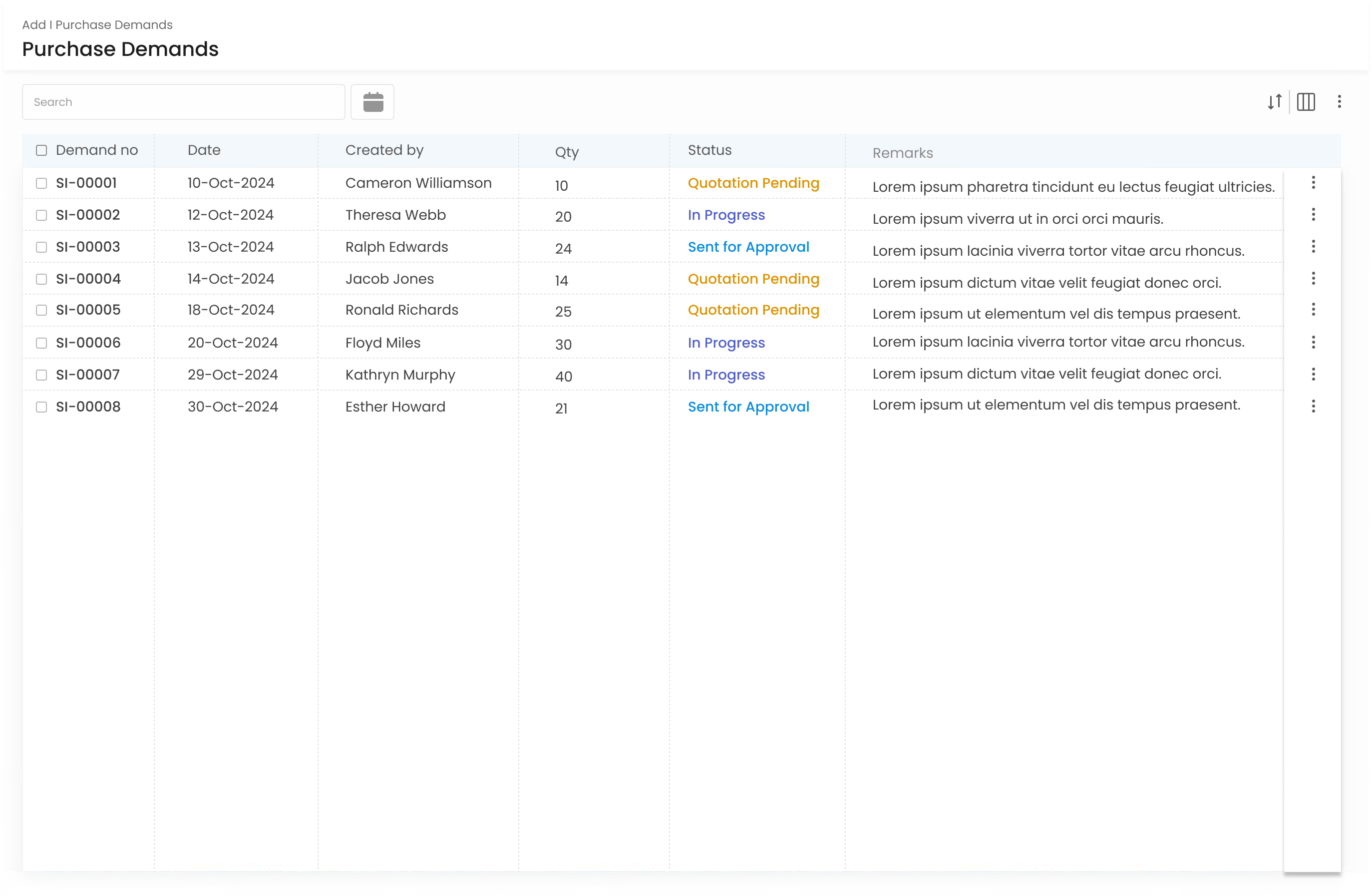
Gluon ERP purchase demand summary table showing requisition dates, creation logs, and approval statuses.
white-icon
Purchase Demand
Create and track purchase requests.
white-icon
Stock & Price Check
Check stock & price while raising demands.
white-icon
Vendor Quotations
Request and compare quotes from multiple vendors.
white-icon
Approval Workflow
Submit demands for approval before ordering.
Gluon ERP purchase demand interface displaying vendor quotations and pricing options for requested products.
Gluon ERP purchase demand management table detailing requested quantities and pending vendor statuses.
Gluon ERP purchase demand summary table showing requisition dates, creation logs, and approval statuses.

Compare vendors.
Choose the right offer.

Compare vendor prices, quantities, delivery times, and terms before placing an order.
white-icon
Request for Quotation
Send one RFQ to multiple vendors at once.
white-icon
Vendor Quotation
Track responses as they come in.
white-icon
Quotation Comparison
Line up price, quantity, and terms.
white-icon
Purchase Rate Lists
Keep agreed vendor rates on record.
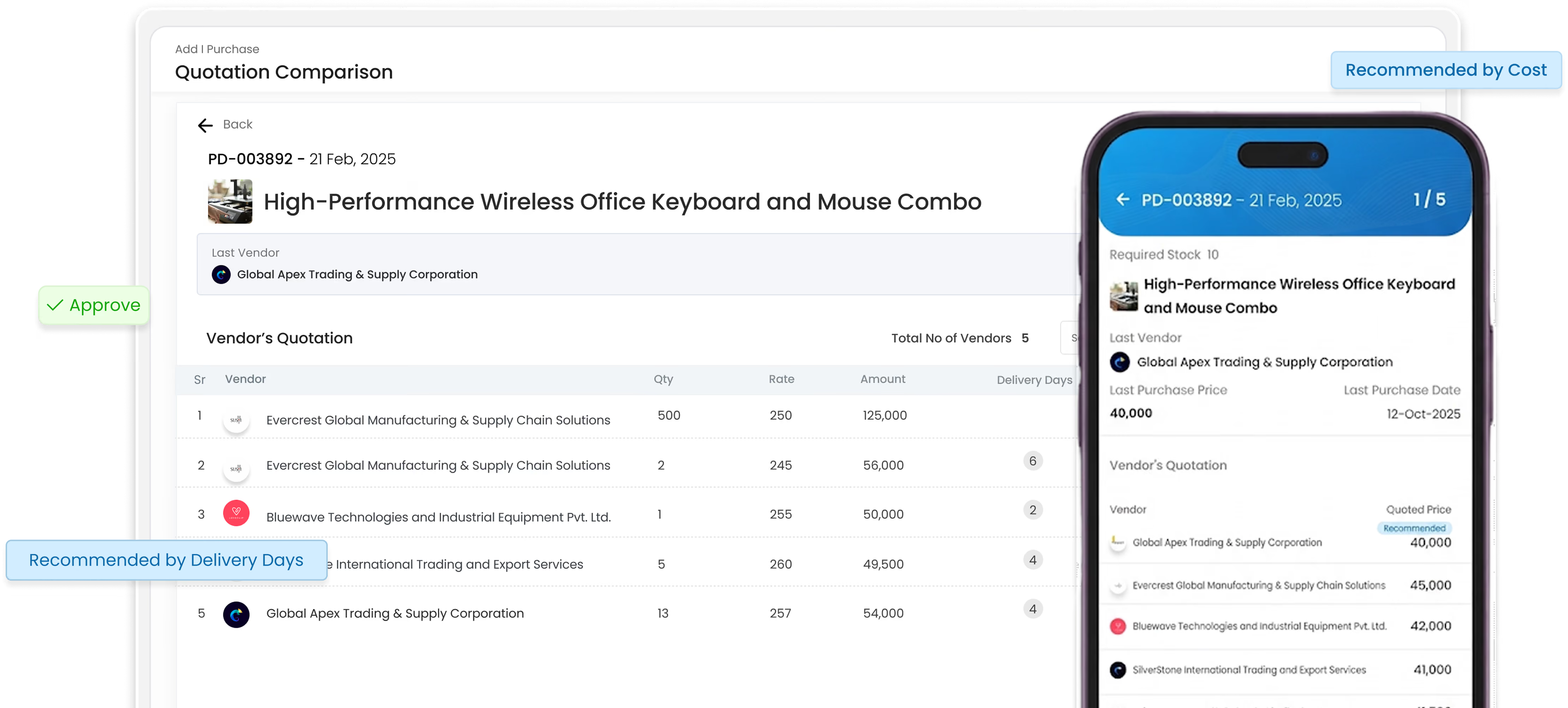
Gluon ERP quotation comparison tool showing vendor cost recommendations across web dashboard and mobile app.
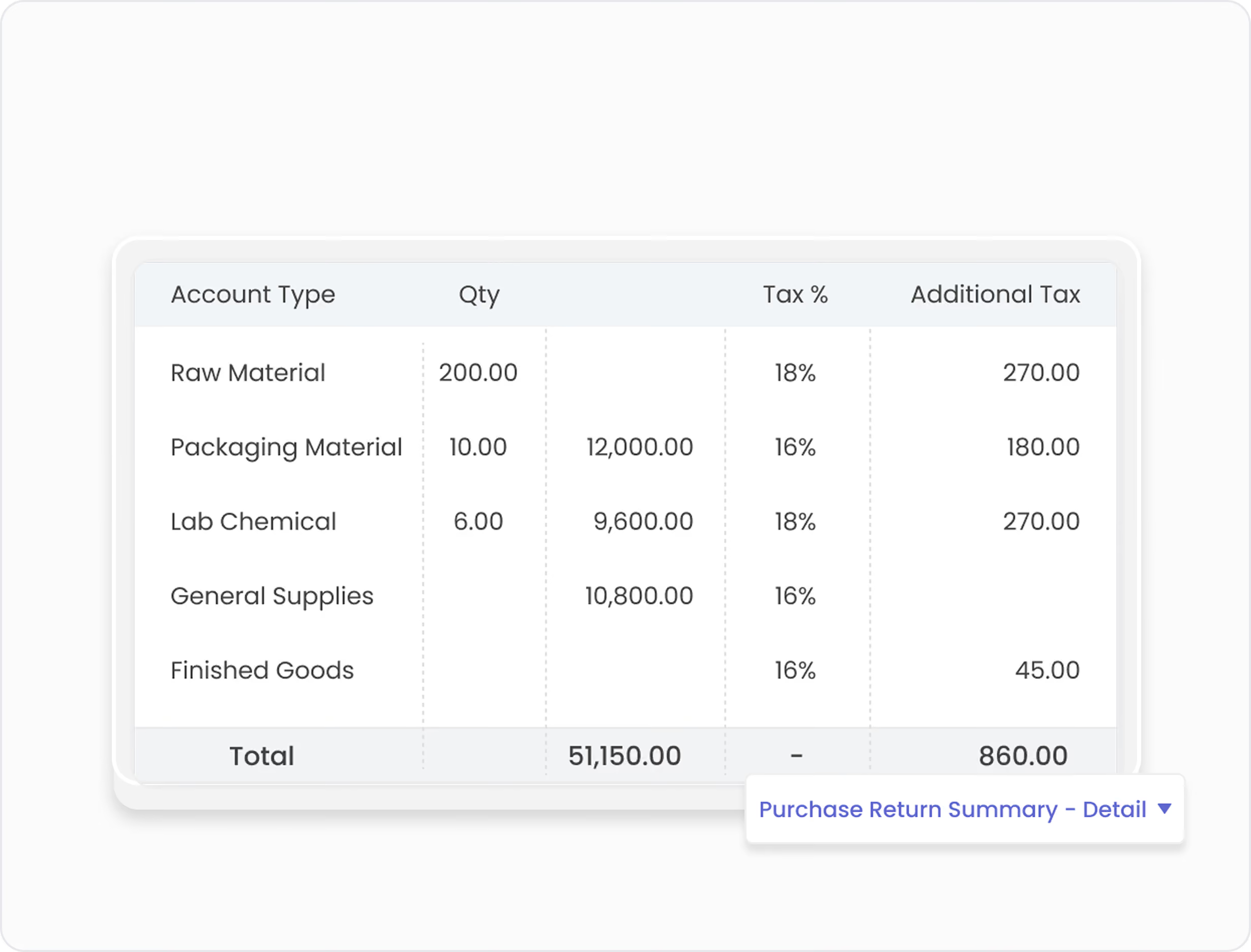
Gluon ERP purchase return detail table showing quantities, tax percentages, and material categories.
Purchase Tracking

Track every purchase from order to delivery.

Gluon ERP procurement navigation buttons for payments, returns, invoices, adjustments, and tracking.
Payment Control

Keep purchases and payments connected.

Ready to simplify Purchasing?

Bring vendors, quotations, orders, receiving, invoices, and payments together with Gluon ERP.
Book a Demo

Turn purchase data into clear insights.

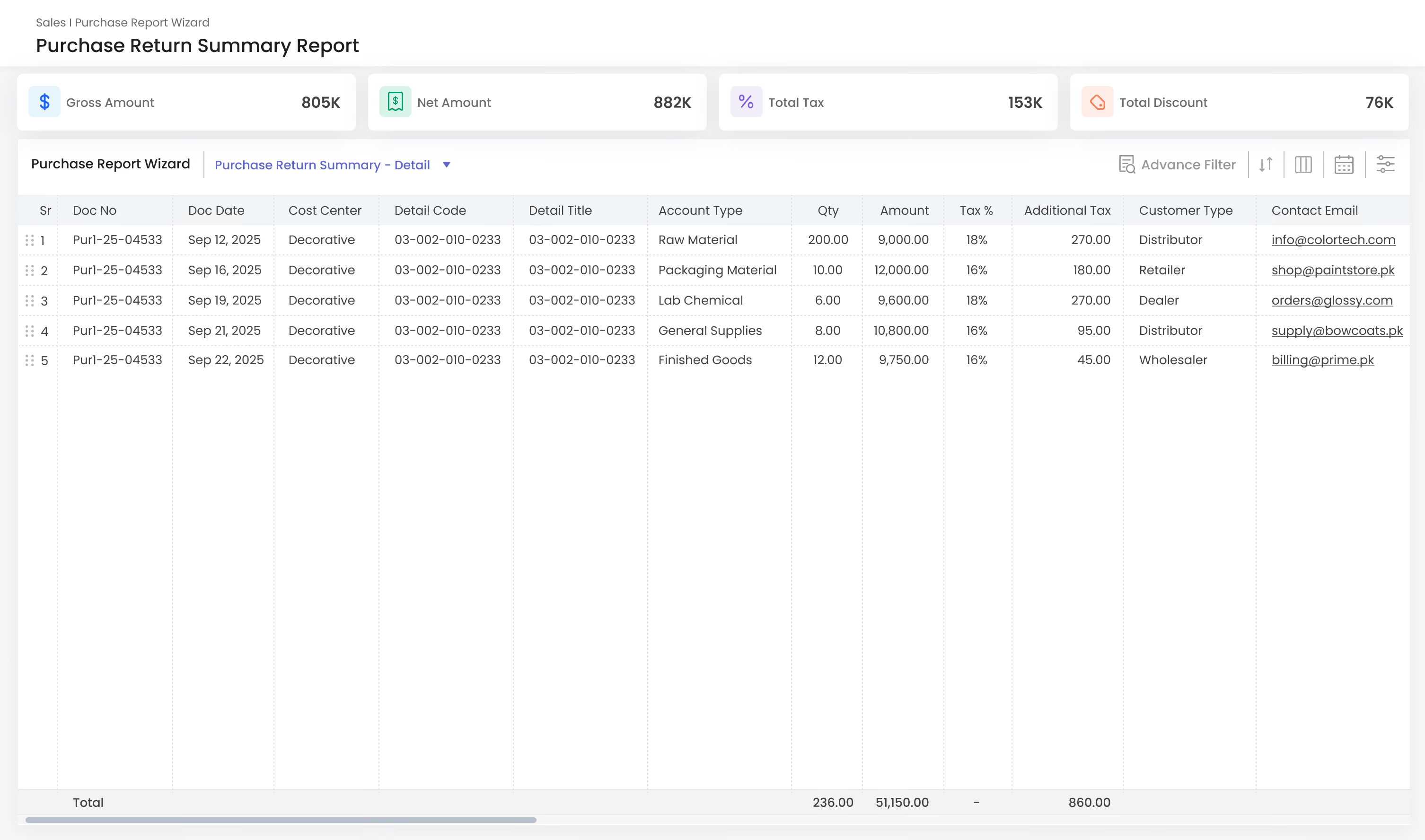
View purchase, return, and GRN reports with detailed data and flexible filters.
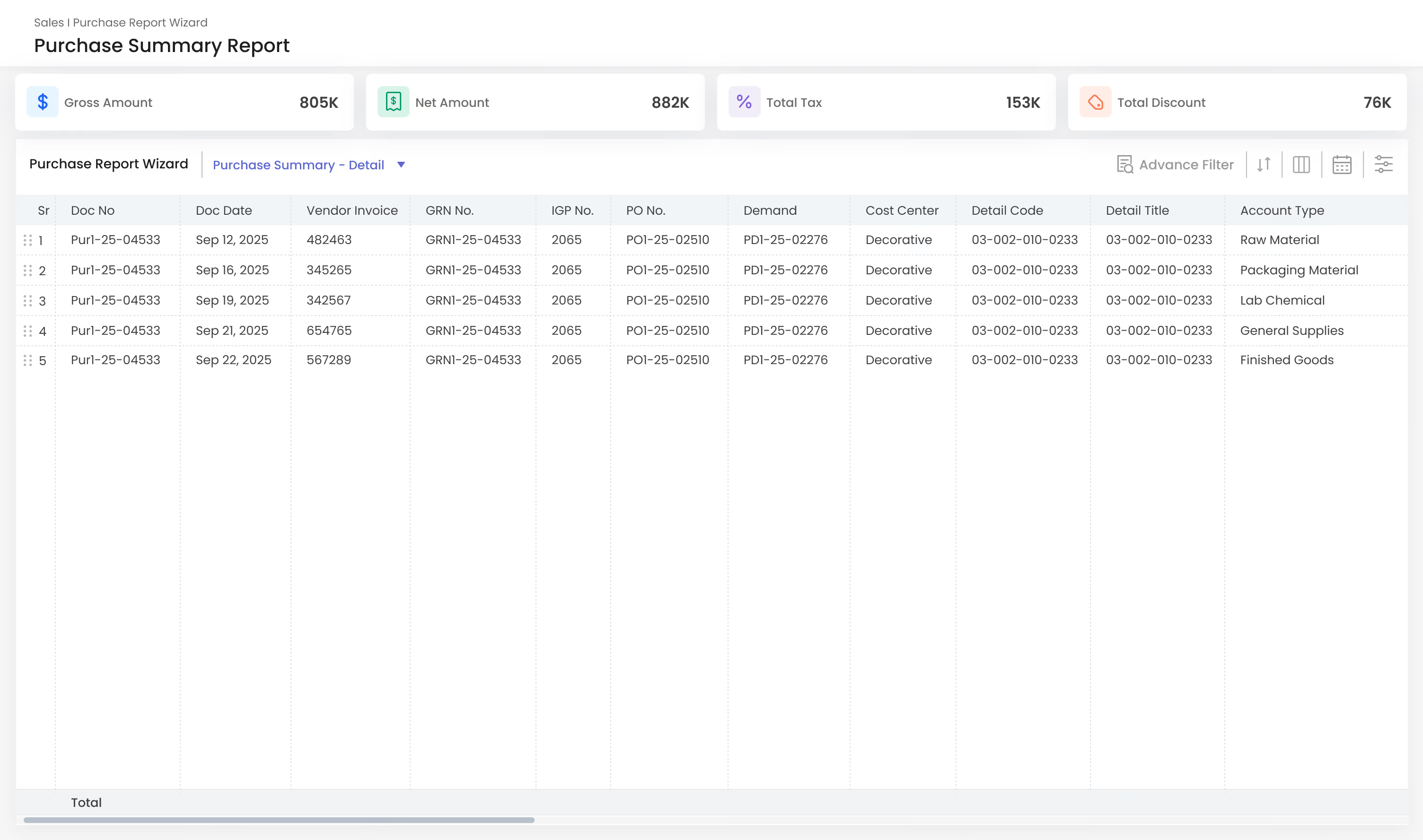
Gluon ERP purchase summary report interface displaying gross amounts, total taxes, and itemized account breakdown.
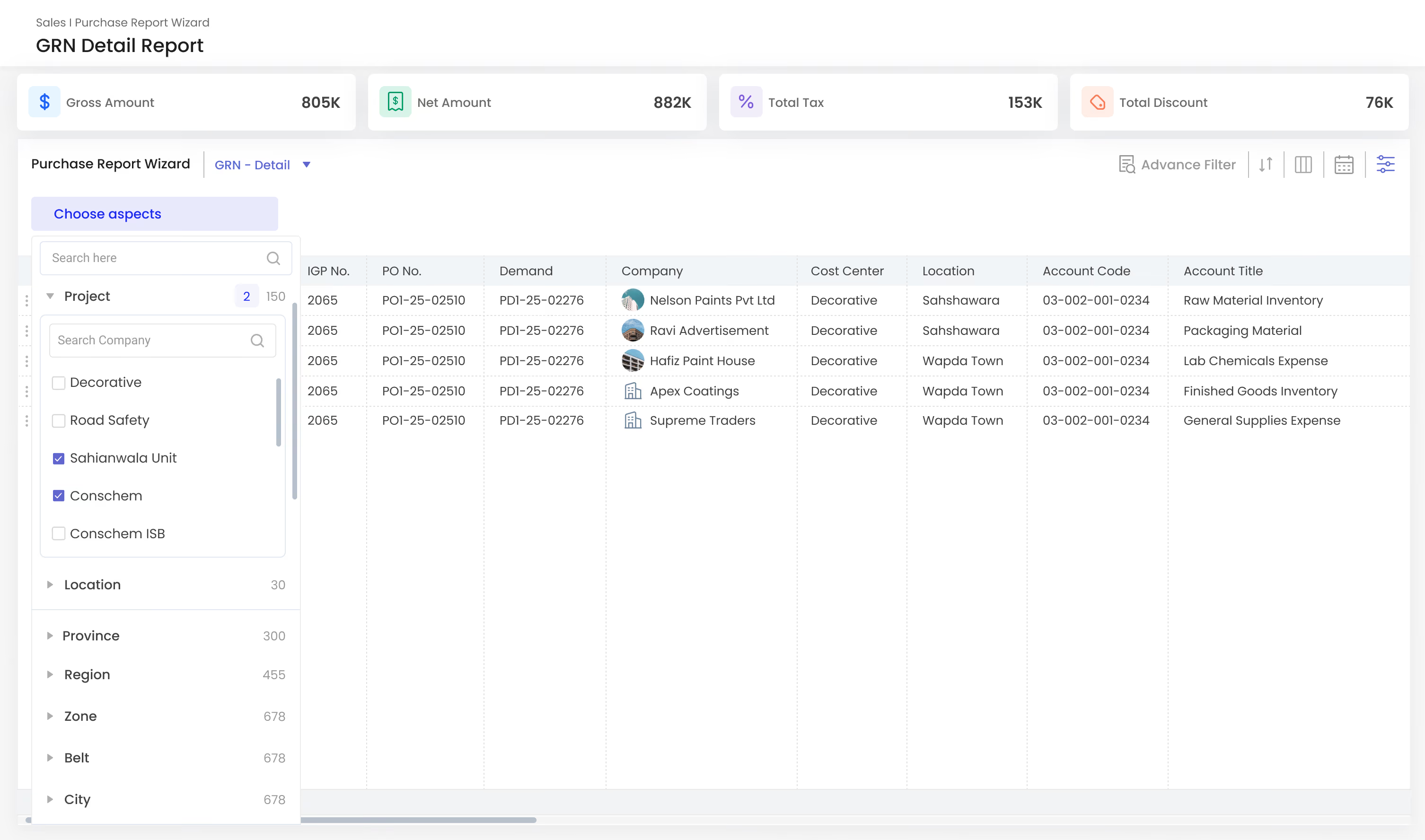
Gluon ERP Goods Received Note report with advanced filtering panel by project, location, and vendor company.
Gluon ERP purchase return summary report displaying customer types, contact details, and financial metrics.
Gluon ERP purchase summary report interface displaying gross amounts, total taxes, and itemized account breakdown.
Gluon ERP Goods Received Note report with advanced filtering panel by project, location, and vendor company.
Gluon ERP purchase return summary report displaying customer types, contact details, and financial metrics.

Configure purchasing your way.

Set the rules once, Gluon Purchase applies them everywhere.
Purchase Terms
Stock Receiving
Purchase
GRN Expenses
Commission Types
Areas
Email Configuration
Invoice Tax Settings
Quantity Deduction Types

Why teams choose
Gluon Purchase.

Built for procurement teams who need clarity, not spreadsheets.

Demand to payment, all in one place.

Demand, quotation, order, receiving, invoice, and payment — no switching tools.

Side-by-side vendor quotes.

See every vendor's quote side by side before choosing who to buy from.

Full order tracking, every step.

Every order is tracked from demand to payment, with a clear status at each step.

Balances update automatically.

Opening, purchase, and closing balances update automatically with every transaction.
GRN, purchase & returns, your way.
GRN, purchase, and returns — detailed or summarized, filtered any way you need.
Organize by cost center, project, location & more.
Organize by cost center, project, location, province, region, zone, or belt.

Built for Every Department

Finance
Sales
Purchase
Inventory/Warehouse
Manufacturing
CRM
Human Resource
Imports
Quality Control
Distribution/Secondary Sales
Assets

One platform.
Every part of your business.

and
working together in one powerful, connected platform.
Book a Demo
Built to simplify. Designed to scale.